Two copies of the same sound, mixed together, arriving two milliseconds apart. That's all that changes when you switch this effect from PDC on to Without PDC. Play something through it and flip the switch.
Switch between PDC on and Without PDC while sound is playing. What happens to the tone, and does anything sound broken?
Two milliseconds apart
Parallel Focus - Latency Lab
Hear and inspect automatic latency compensation.
- Dry / wet 0.50
Without compensation, the sound turns hollow and slightly phasey, as if it were coming down a tube. Nothing crackles. No samples are wrong. The two paths simply disagree about when now is, by 102 samples, and that disagreement is audible. Press Run impulse on the face to watch a single click take the two paths and arrive twice.
Time is the thing realtime code most often gets wrong, and usually more quietly than this. Here's the classic case: a fade that sounds right in the browser and runs four times too long in a DAW, from identical code.
Your code doesn't choose when it's called
The host calls your process function over and over, each time with a block of samples. How many is up to the host: 128 in one place, 512 in another, 37 when a note or a knob move splits a block in two. Your code's job is to produce exactly the same sound however the audio is sliced.
Now look at a fade written the obvious way: take one step toward silence every time process is called, a hundred steps in all.
One fade, three hosts
A hundred calls of 128 samples is 12,800 samples, a quarter of a second. A hundred calls of 512 is 51,200, over a second. Same code, a fade four times longer, and no error message anywhere. On a pad that's the difference between a gentle swell and a sluggish one; on a gate or a duck it's the difference between pumping in time and smearing across the beat.
The fix is to count the thing time is actually made of: samples. Step through the same 512 samples arriving three different ways:
After 512 samples, how far has each fade gone?
The same 512 samples, sliced three ways
512 samplesFour calls
The host calls process four times with 128 samples each.
- calls
- 4
- fade counted in calls
- 4 percent done
- fade counted in samples
- 2.1 percent done
The last case is the sneaky one. Even on one machine with one buffer size, moving a knob makes the host split blocks at the edit, so a call-counted fade speeds up while you touch the controls. Counted in samples, it doesn't care.
Maru's DSP package has a helper for exactly this. linearTargetStep moves a value to its target in a given number of samples:
import { linearTargetStep } from "@maruaudio/dsp/modulation/slew"

// when the fade starts: half a second, in samples at this rate
state.fadeRemaining = Math.round(0.5 * state.sampleRate)

// in process(): one step per frame, however many frames this call brings
for (let offset = 0; offset < frames; offset = offset + 1) {
  state.gain = linearTargetStep(state.gain, 0, state.fadeRemaining)
  if (state.fadeRemaining > 0) state.fadeRemaining = state.fadeRemaining - 1
  // ...multiply this frame's samples by state.gain
}
The same rule covers every timed behaviour: smoothing, envelope stages, LFO phase, a delayed MIDI note. In a Maru Processor it's not just good advice: block-size invariance is one of the checks a module has to pass.
The deadline is part of the sound
At 48 kHz with 128-sample blocks, the host needs your answer every 2.7 milliseconds. Every time, for the whole gig. Miss once and the listener hears a dropout: a click, a gap, a stutter in the middle of the chorus.
Correct samples that arrive late are wrong. So the realtime callback has a short list of things it never does:
- Allocate memory. Asking for memory can trigger work whose timing you don't control. Build everything in
createState; after that, nothing grows. - Wait. No locks, no file or network reads, no calling back into the host. Each can stall for as long as something else takes.
- Do unbounded work. Loops run to a fixed maximum known when the code is compiled, skipping inactive slots inside. A loop that "usually" runs ten times will one day run ten thousand.
- Recompute expensive maths per sample when once per block will do.
Math.exp,Math.sinand friends belong in a block-rate update before the sample loop; the per-sample work is the cheap step.
Heavy jobs get spread out instead. Maru's drum synth, for instance, pre-renders its sounds outside the callback and re-renders a changed one a slice at a time across many blocks, so no single call takes more than a small part of its budget. The cost is a short, declared delay between turning a knob and hearing the new sound. That's a design trade you can choose deliberately.
"It hasn't glitched yet" describes your machine today. These rules describe the worst moment on someone else's, when their CPU is busy with forty other tracks.
When two paths disagree about time
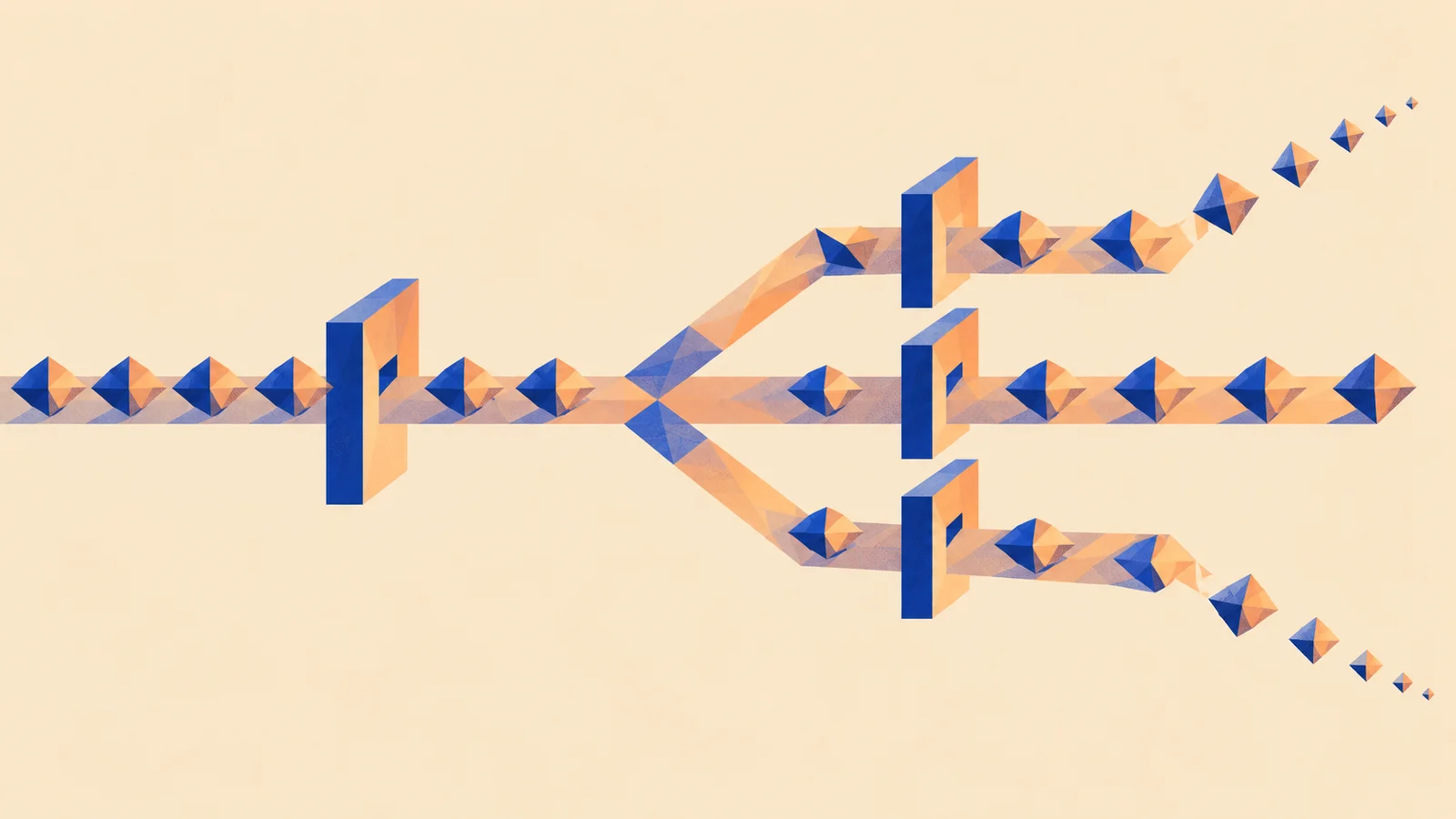
Back to the opening sound. Parallel Focus sends your audio down two paths: a clean one and one through a filter and a lookahead limiter. The limiter needs to see 2 ms ahead to catch peaks, so its path is 102 samples late. Maru's engine knows that and delays the clean path by the same 102 samples, so both arrive together. That's latency compensation.
Switch it off and the two copies combine like a comb: wherever a frequency's wave is half a cycle out between them, it cancels. With a 2.1 ms gap the first dip falls near 235 Hz and the dips repeat every 470 Hz above it. That's the hollow, tubey sound you heard, and it's exactly the sound a flanger makes on purpose when it sweeps that gap.
If your own Processor has delay built in, a lookahead or a linear-phase filter, declare it (processing: { alignmentLatency: { seconds, samples } } in the declaration) so the host can line things up, and keep that delay constant. A delay that changes with a knob or a preset makes every downstream path disagree.
Same idea, different place: Chorus, flanger and phaser turns this exact comb into an effect by moving the delay. Here it's a bug; there it's a classic sound.
Tiny numbers and broken numbers
Two numerical problems hide in the quietest parts of a sound.
Tiny numbers. As a filter or reverb tail decays, its values shrink toward zero and can enter a range of extremely small floating-point numbers called subnormals (or denormals). On some CPUs, arithmetic on them is dramatically slower, so a plugin can get more expensive as the sound fades out. Whether that happens depends on the processor and how the code is built, so check on the targets you ship. One common misunderstanding: JavaScript's Math.fround rounds to a 32-bit float but doesn't flush these tiny values to zero.
Broken numbers. NaN ("not a number") and Infinity come from impossible maths: a division by zero, a filter pushed unstable. They spread through every calculation they touch, and a single one can silence an output or turn it into a full-scale blast. Guard against them where values enter (parameters, loaded content) and where your maths can blow up, and test the moments after a sound stops, where a decaying tail exposes both problems.
Where fixes go wrong
A sample-counted ramp can still click if it restarts from the wrong value when a new target arrives mid-ramp (linearTargetStep recomputes from the current value to avoid exactly that). A smoothing coefficient computed at 44.1 kHz and kept at 96 kHz runs at the wrong speed; compute rate-dependent values in prepare. A stereo ramp stepped once per channel runs twice as fast. Each fix needs a check tied to what it promises.
Make it yours
Pick one timed behaviour in your own module: a fade, a smoothing ramp, a timer, a queue of delayed events. Find what advances it. Is it counted in samples, or in calls?
Write its promised duration in seconds, then in samples at two sample rates (a 10 ms ramp is 480 samples at 48 kHz, 960 at 96 kHz). If it's counted in calls, rewrite it to count samples. Then render the same input at two block sizes, ideally including an odd one like 37, and compare. When the two renders match, keep both and the comparison as a test, so the next change can't quietly bring the bug back.
Quick check
- A fade advances once per call. In a DAW set to a larger buffer, it gets slower. Why? Each call now covers more samples, so the same number of calls takes more time. Count samples instead. It's tempting to blame the DAW, but the code defined time wrongly.
- A parallel effect sounds hollow and phasey, but there are no clicks or dropouts. Is the CPU too slow? Unlikely. Hollow without glitches points to two copies arriving at different times, a comb filter. Check latency compensation before blaming performance.
- Your plugin uses more CPU in the reverb tail than while notes are playing. What would you check first? Tiny decaying values (subnormals) on that CPU. A quieter sound shouldn't cost more, and this is the classic reason it does.
Next steps
- Use it: Testing sound and behaviour. You fixed a bug you knew about. How do you find the ones you don't?
- Go deeper: Build an effect. Smoothing a knob with a ramp that counts samples, step by step.