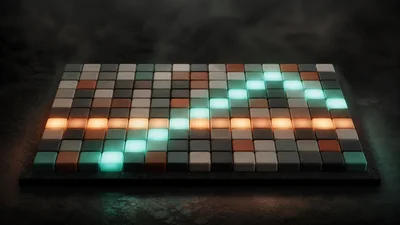
A melodic step sequencer: draw a line on a pitch grid, and Linestep plays it as MIDI notes in time with the clock. It makes no sound itself, so connect it to any instrument.
The idea
Pitch runs up the grid, time runs across one measure, and a piano keyboard along the edge shows which row is which note. You can paint notes by dragging, set each note's velocity, record from a MIDI keyboard, or let one of two generators write a line for you, then edit the result like anything you drew.
Nothing you draw is thrown away by a setting change. In Monophonic mode, a column with several notes plays only the most recently drawn one and shows the others in grey; switch to Polyphonic and they all sound again. Division works the same way: the pattern keeps detail down to 1/32 notes, so choosing a coarser view hides fine notes without deleting them.
Controls
- Division sets the length of each column, from 1/4 to 1/32.
- Swing delays every other column while the main beats stay put.
- Gate sets how long each note lasts within its step.
- Fixed velocity plays every note at one velocity; switch it off to keep each drawn or recorded note's own velocity.
- Transpose moves the drawn pattern by semitones or octaves.
- Reference note and MIDI channel change what is sent without touching the grid: map the C4 row to another note to offset the whole output.
Generate writes a line from a Style (Motif, Arpeggio, Bass, Stepwise, Pulse or Chords), a key and scale, Density, Motion (falling to rising), Range in octaves and Variation. The Algorithm panel is a second generator that places notes by metric weight and picks pitches by consonance, with Syncopation, Consonance, Leapiness and a Contour shape such as Arch, Valley or Wave. Both use a seed: the same settings and seed always give the same notes.
Getting started
Pick a preset such as Ascending line, Syncopated bass, Minor hook, Two voices or Acid turn, route Linestep into an instrument and start the transport. With the host stopped, Preview plays the pattern on a local clock. Arm MIDI record while it runs to quantize what you play into the steps you cross.