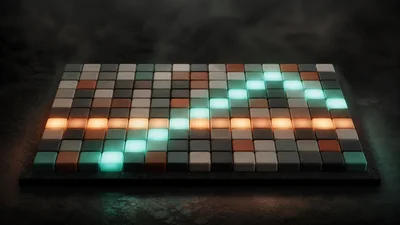
A drum grid you draw on directly. One row per familiar kit voice, one square per step: click to place a hit, click again for an accent, and Drumstep plays the bar as MIDI in time with the session clock.
The idea
Drumstep makes notes, not sound. Its rows follow the General MIDI drum map (kick on note 36, snare on 38, clap on 39, closed hat on 42 and so on), so the pattern lines up with drum racks, hardware pads, drum tracks and standard MIDI files. Connect it to any drum instrument and that instrument does the playing.
The compact view shows ten core rows: kick, snare, rim, clap, low and mid toms, closed and open hats, cymbal and cowbell. The 16-lane view adds ride, high tom, congas, tambourine and shaker. A dark square is silent, a coloured square is a hit, and the brighter capped state is an accent.
Controls
- Division sets the length of each square against the session clock: 1/4, 1/8, 1/16 or 1/32. At 1/16, four squares pass per beat. Changing it shows a finer or coarser grid without moving the kicks and backbeats you already placed on the beat.
- Swing delays every second square, from straight (50%) through triplet feel (about 67%) to a heavy 75% shuffle. The main beats stay on the grid.
- Velocity is the fixed MIDI velocity for programmed hits.
- Click adds a metronome on each beat, stronger on the downbeat.
- Solo and mute per row change both the grid and the MIDI output straight away.
- Each lane can be sent to its own MIDI note and channel; by default everything goes out on channel 10, the drum channel.
Two generators can write a pattern for you. Simple picks a style (Rock, House, Hip-hop, Funk, Breaks or Latin) and shapes it with Complexity, Energy, Variation, Fill, Layers and Dynamics; Randomize draws a new repeatable variation. Algorithm builds a bar from a style model (Rock, House, Hip-hop, Funk, Jazz Brushes or Afrobeat) with Density, Syncopation, Complexity and Humanize, filling the strong beats first. The Pads tab lets you play the kit by hand.
Getting started
Route Drumstep into a drum instrument, press play, and start from a preset: Starter, Four Floor, Half Time, Shuffle, Boom Bap, Motorik, Broken Beat, Clave Motion or Tom Runner. Then paint over it, drag across a row to fill several steps at once, or clear the grid and draw your own.