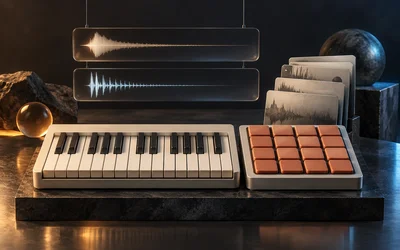
A sampler for playing recorded instruments and drum kits. Load a bank, such as a multisampled grand piano, a kalimba or a percussion kit, and play it from a keyboard or a pad grid, with velocity layers, round robin and the controls each preset chooses to expose.
The idea
A bank is a set of recordings mapped onto the keyboard: which sample plays for which note, how hard it was struck, and which alternate take comes next when you repeat a note. Maru Sampler reads that map and plays it faithfully. The bank's author decides what the player sees: a piano might expose Tone and Space, a kalimba with its own reverb just one Reverb knob, so each instrument opens with the few controls that suit it rather than a wall of settings.
Two ways to play
Piano view shows a full-width keybed with the bank's artwork. Pianos add a Tone choice: Natural keeps the recording as it is, Warm and Soft roll off the top end.
Pads view shows a 4×4 grid in the layout drum machines use: pad 1 at the bottom left, rows rising upward. Select a pad to edit it: gain, pan, tuning, start and end trim, envelope, filter, reverse, mute, choke group and round robin. You can also drag any sound from the kit's list onto a pad to remix the kit. Your edits are saved with the preset and the bank itself is never changed: Reset clears a pad's edits, and Restore original gives a remixed pad its own sound back.
Controls
- The rack along the bottom holds the preset's exposed knobs, Level, and a graph of the attack and release.
- Playing, in the header, sets the total voice limit and, for keyboard instruments, how repeated notes behave, along with Transpose, Bend range, Mod wheel and Aftertouch.
- The settings cog has the full Amplitude and Filter envelopes, which you can edit by dragging their handles.
- Pitch bend, the mod wheel, aftertouch and the sustain pedal all work from a MIDI controller. Velocity can follow your touch or be fixed, with optional random variation.
- To map a hardware controller, open the cog, drag a controller chip such as the mod wheel onto a knob, or Alt-click a knob and move a control to learn it. A mapping belongs to the knob's position, so it carries over when you change presets.
Getting started
Pick a bank from the bank menu, then a preset. Aurora Keys and Grand Piano are good places to start on the keyboard; Pocket Kit or one of the Countries kits for pads. The bank menu has search and favourites once your library grows.
On the website, banks can be downloaded as a ZIP or a single MAS file, then opened in Studio or loaded into the Sampler plug-in with Load bank…. Downloads keep the bank's samples, mapping, presets, artwork and credits.
Good to know
- The Sampler has no built-in reverb. In a rack, add a reverb module after it.
- Drum one-shots play their whole hit however short the note, and stop only when choked, cut or replaced.
- Sounds dragged onto pads come from the kit that is currently loaded.