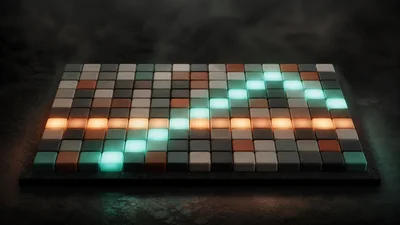
A MIDI arpeggiator: hold a chord and it plays the held notes one at a time on a steady grid. It makes no sound of its own, so place it in front of an instrument and play through it.
The idea
The pattern follows what your hands are holding rather than recording it. Add a note to a chord you are already holding and it joins the pattern on the next step; lift one and the cycle closes around the gap. The step grid keeps running while the harmony changes, so the rhythm does not stutter when you move between chords.
The random pattern is seeded. Each step's choice comes from the step number, so the line is unpredictable to listen to but plays back the same way every time, including in an offline render.
Controls
- Arp switches the arpeggiator in or out. Off, held keys pass through and sound normally, which is the easiest way to hear what it is doing.
- Pattern sets the order: up, down, up-down, order played, or random. Up-down turns around without repeating the top or bottom note. Order played keeps the order in which your fingers landed.
- Rate is steps per second, from 0.5 to 32 Hz. 8 Hz is sixteenth notes at 120 BPM.
- Octaves stacks the held chord over one to four octaves. The whole chord repeats an octave up at a time: two octaves of C-E-G play C E G C' E' G'.
- Gate sets note length as a fraction of the step, so it follows Rate. Short is staccato, high is legato; a small gap is always kept between notes.
The panel's walk diagram shows how the current pattern orders a reference chord, usually C-E-G. It is a reference, not a display of the notes you are holding.
Getting started
Mount an instrument after the Arpeggiator, hold a three- or four-note chord and try Up at the default 8 Hz. Then switch to Up-down, add a second octave and shorten the Gate. Release the keys to stop the pattern.
Hold and Swing appear on the panel but are not available yet: the pattern always stops when you let go, and steps are always straight.