@maruMaru Sampler
AvailableInstrument

Maru Sampler

Mapped instruments and drum kits in your browser.

@maru shared this instrument so you can play it in your DAW, remix it or put it on your site.

Browse the sampler banks. See every zone map, preset and sample in the format. Create and export your own bank

What it does

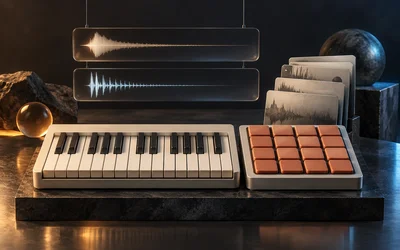
A sampler for playing recorded instruments and drum kits. Load a bank, such as a multisampled grand piano, a kalimba or a percussion kit, and play it from a keyboard or a pad grid, with velocity layers, round robin and the controls each preset chooses to expose.

The idea

A bank is a set of recordings mapped onto the keyboard: which sample plays for which note, how hard it was struck, and which alternate take comes next when you repeat a note. Maru Sampler reads that map and plays it faithfully. The bank's author decides what the player sees: a piano might expose Tone and Space, a kalimba with its own reverb just one Reverb knob, so each instrument opens with the few controls that suit it rather than a wall of settings.

Two ways to play

Piano view shows a full-width keybed with the bank's artwork. Pianos add a Tone choice: Natural keeps the recording as it is, Warm and Soft roll off the top end.

Pads view shows a 4×4 grid in the layout drum machines use: pad 1 at the bottom left, rows rising upward. Select a pad to edit it: gain, pan, tuning, start and end trim, envelope, filter, reverse, mute, choke group and round robin. You can also drag any sound from the kit's list onto a pad to remix the kit. Your edits are saved with the preset and the bank itself is never changed: Reset clears a pad's edits, and Restore original gives a remixed pad its own sound back.

Good to know

  • The Sampler has no built-in reverb. In a rack, add a reverb module after it.
  • Drum one-shots play their whole hit however short the note, and stop only when choked, cut or replaced.
  • Sounds dragged onto pads come from the kit that is currently loaded.
Works with

  • Your browser: it plays on this page, with nothing to install.
  • Plug-in formats in development: VST3, CLAP, Audio Unit, Standalone app.

What you get

  • A free browser instrument; downloadable formats appear here only after their release packages are ready
  • Key zones, velocity layers, crossfades, round robin, loops, release triggers, and keyswitches
  • Aurora Mini and Pocket Mini factory banks
  • An open sound-pack format for instruments made by Maru, artists, and the community
  • The same compiled playback engine across browser and native targets

Preview license. Free to use while this product is in preview. The terms for the released version are not settled yet and may change at release.

Guide and controls

How it works.

The host prepares the sample arena, zone rows, voice policy, macro mappings and effect buses, then stages them through the Processor's resource slots.

The Processor chooses recordings by note, velocity, articulation and voice policy. Its realtime callback performs no allocation, locking or file access.

The browser and native Programs are derived from the same Processor source. Bank delivery and each plugin host are qualified separately.

What would you make with Maru Sampler?

Describe what you want to make. Build it with the Studio agent.

Part of Groove drum lab, Pocket beats, Groove with breakdown, Songwriter band, Stepmood rack, Drumbox, Linesynth

Goes well with.

Prototype

A sixteen-pad drum machine whose whole kit morphs across three faces at once.

Prototype

A recording split into a playable grain cloud.

Prototype

Two oscillator banks with continuous frame morphing.