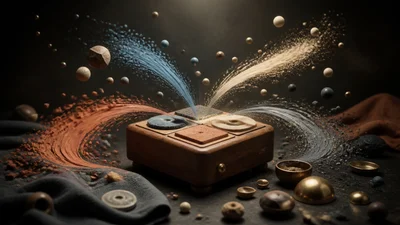
A sixteen-pad drum sampler where the whole kit morphs at once. Every pad holds three versions of its sound, and one triangle control moves all sixteen pads between those three faces together.
The idea
A morphing sampler usually morphs one sound. Tetra Box morphs a kit. The three corners of every pad are aligned across the machine: corner one of the kick, the snare and the hat all belong to the same theme. Because the corners agree, one position on the triangle means the same thing for every pad, and dragging it walks the whole kit from one coherent character to another.
These are one-shots, so moving the triangle does not bend a hit that is already ringing. It changes what the next strike plays.
Controls
- Morph X and Morph Y place the point inside the triangle. The default sits where all three themes weigh the same.
- Decay shortens every pad's tail together.
- Voices sets what a strike does to a pad that is still sounding: follow the kit's own setting, cut the previous hit with a short fade, or layer hits on top of each other.
- Layout chooses which MIDI notes the pads answer to: Maschine (sixteen notes from MIDI 36, pad 1 bottom left), General MIDI drums, MPC bank A, or sixteen chromatic notes from C2 or middle C.
- Fold Notes wraps notes outside the layout back onto the pads, so any MIDI stream can play the machine; switch it off to ignore them.
- Each pad has its own Tune and Gain.
- Level sets the output.
Choke groups cut across pads, so a closed hat still silences a ringing open hat.
Getting started
Play the pads from a MIDI pad controller; on Maschine's default layout they land without any remapping. Strike a few pads, then drag the morph point toward each corner of the triangle and strike them again.
The panel also shows Vary, Kit, Reverb and Ambience. These come from the browser version of the instrument and are not yet supported in every build.